AI product photo generator for Shopify ads: one photo in, ad creatives out.
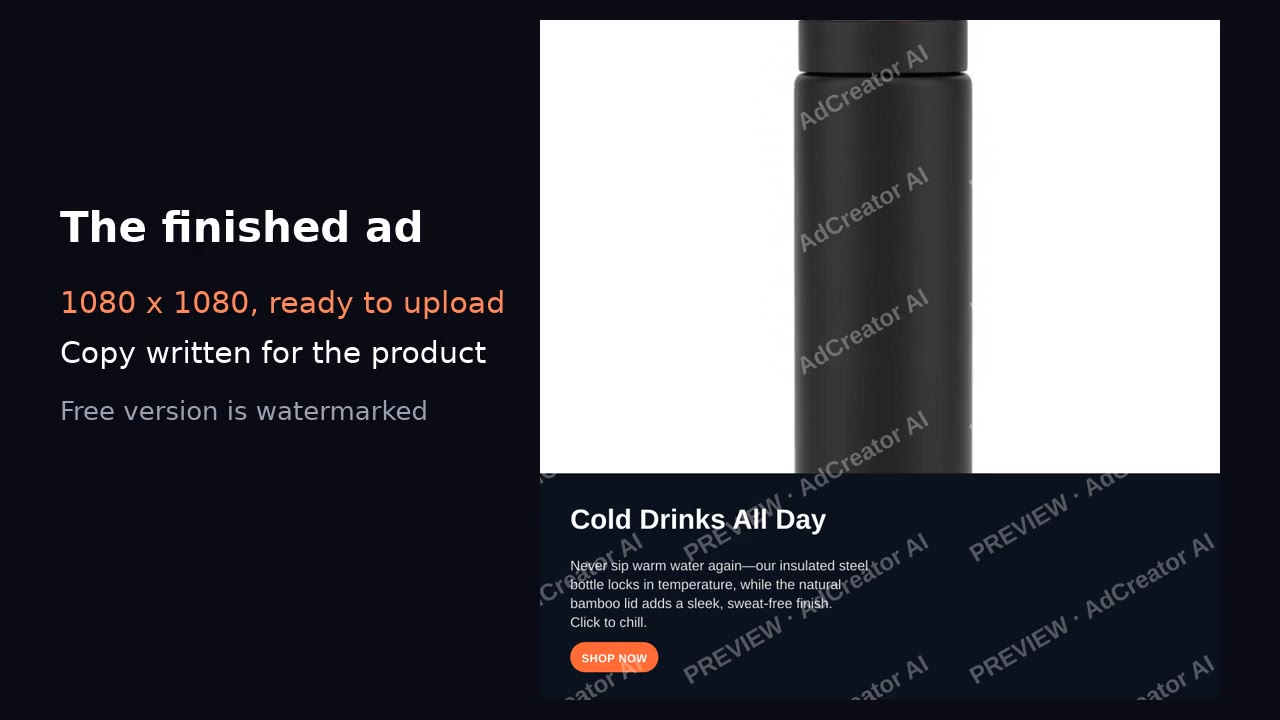
Try it free below: upload a product photo, say what it is, and get a finished 1080×1080 ad built around your photo — image, headline and copy — in seconds, no account. Placing your product into a new AI-generated lifestyle scene happens inside the AdCreator Shopify app; what that does, and where it fails, is explained further down.
AdCreator AI gives you finished, un-watermarked ads for Facebook, Instagram, Google and TikTok — plus narrated video ads — for every product in your catalogue. Your first one is on us.
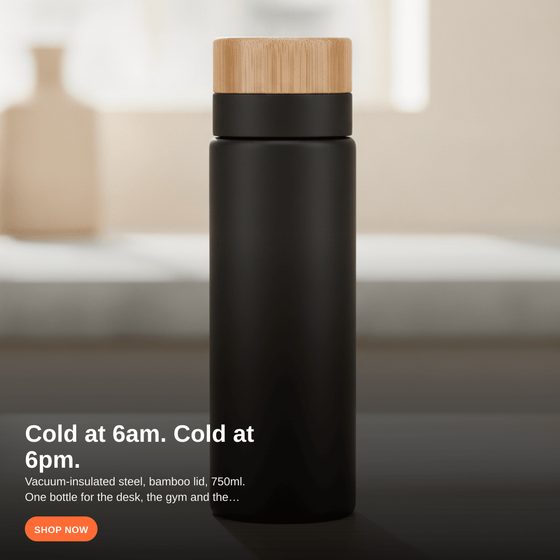
The tool above makes the clean-panel version; the in-scene version on the right comes from the Shopify app. Scroll up and try it with your product.
What AI can and can’t do with a product photo
“AI product photo generator” covers several different jobs: removing a background, inventing a product from a text prompt, and placing a real product into a new setting. AdCreator AI only does the last one, and only in service of ads. It starts from the photo you already have, because an ad has to show the product a customer will actually receive.
Inside the Shopify app: your product, placed in a scene
When you make ads in the AdCreator AI Shopify app, it first tries to put your exact product into a generated lifestyle setting — a natural surface, soft light, shallow depth of field — while keeping the product itself unchanged. It then lays the headline, copy and call to action over it in the ad formats you pick for Facebook, Instagram, Google and TikTok. If the scene step fails for any reason, the ad is built on your original photo instead, so you never get a broken image.
Where it breaks: small printed text
Image models reproduce the look of text, not the text. In our own tests shape, colour, material, artwork and logos came through intact, but small print such as key legends came back as convincing nonsense. That matters for supplements, food packaging, books, cosmetics with shade names, or anything with a model number. So the app alternates: some creatives use the scene, some use your untouched photo. We wrote up the full test in what AI lifestyle product photos keep and break.
What the free tool on this page does
It takes your photo exactly as it is, writes a headline, body text and call to action for the product you describe, and composites them into a watermarked 1080×1080 ad. It does not generate a new background. That keeps it fast and free, and it shows you the copy and layout before you install anything.
Getting a usable source photo
The product in focus, lit from the front or side, with some empty space around it. A phone photo against a plain wall in daylight beats a dim studio shot. Avoid screenshots, collages, heavy filters, and photos where the product is a small part of a busy scene — both the free tool and the scene step work from what they can see.
From one photo to a catalogue
The free tool makes one ad at a time. The AdCreator AI Shopify app works from the products already in your store, so you pick a product instead of uploading anything, and paid plans add narrated video ads made from the same photo. Plans and limits are on the pricing page.
Frequently asked questions
Does the free tool on this page generate a new background for my product?
No. The free tool puts your own photo on a clean ad panel with a headline, body text and call to action, watermarked. Placing the product into a generated lifestyle scene happens inside the AdCreator AI Shopify app.
Will the AI change what my product looks like?
The scene step is told to keep the product exactly as photographed and only add a setting and light around it. In our testing it kept shape, colour, material, printed artwork and logos. The one thing it gets wrong is small printed text such as ingredient panels or key legends, which is why the app also keeps versions built on your original photo.
Can I use this to make white-background catalogue photos?
No. AdCreator makes ad creatives: the product with copy, sized for ad placements. If you need clean catalogue shots for your product pages, use a background-removal or product photography tool instead.
What photo should I start with?
A clear, well-lit photo of the product on its own, ideally on a plain background. Phone photos in daylight work well. Avoid screenshots, collages, and photos where the product is small in a busy scene.
Is it free?
The tool on this page is free with no account and no card. The Shopify app starts on a free plan; paid plans are listed on the pricing page.